
Vowsup

Wedding invitations on WhatsApp

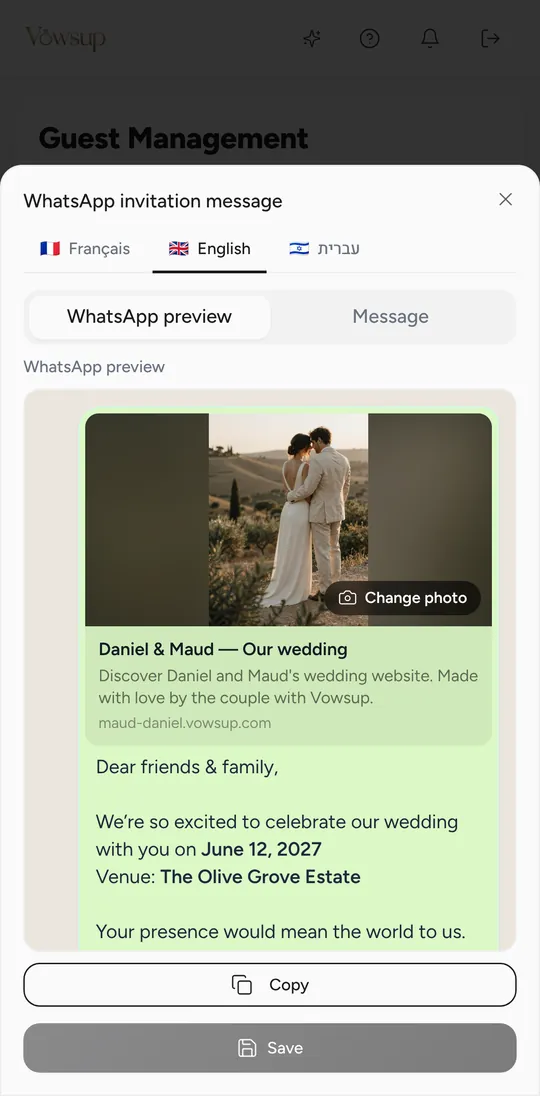
Vowsup prepares each guest's message, with the link to your invitation website. You send it from your own WhatsApp, then one button moves on to the next guest. Replies land in your guest list, live.

Create my event
WhatsApp invitation message ready to send, in the guest's language
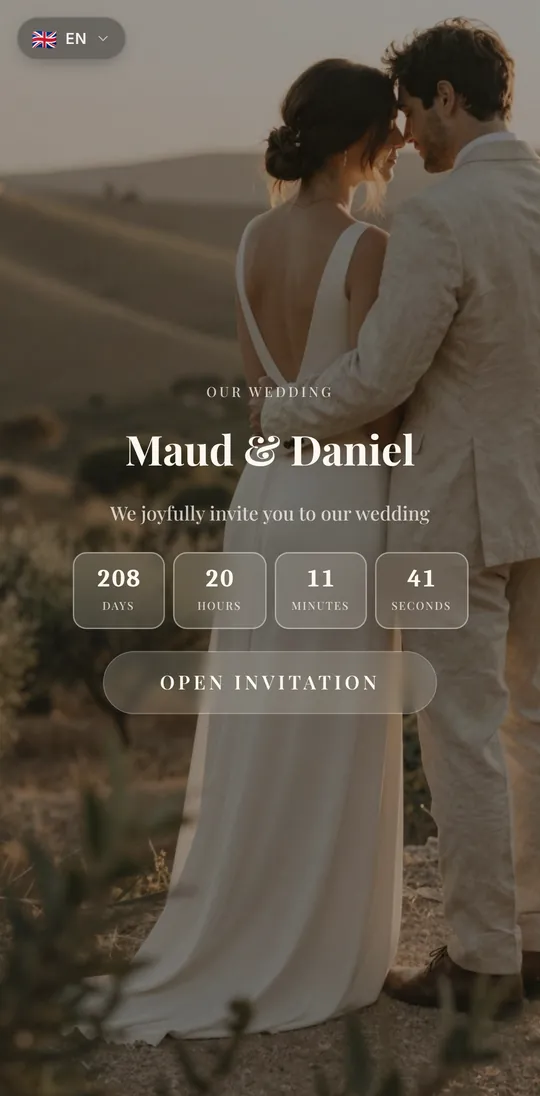
The invitation website the guest opens from the WhatsApp link

How it works

  1. Write your messageA text template you customise, in each of your website's languages.
  2. Send one after anotherVowsup opens WhatsApp with the message ready. You send, come back, and one button moves to the next guest.
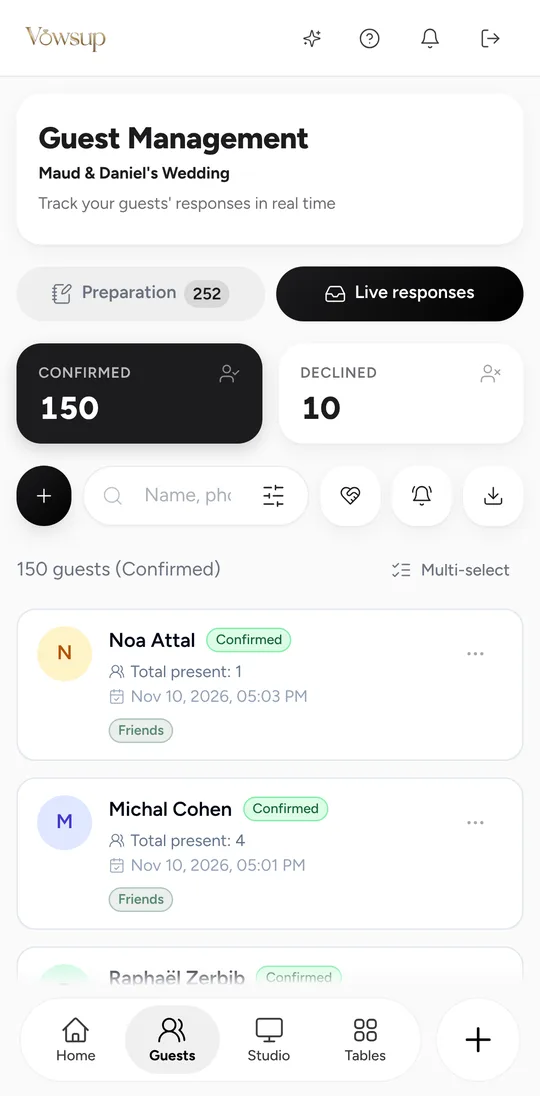
  3. Follow the repliesEach guest replies on your website, and the reply shows up in your list.

From your own WhatsApp

Messages go out from your number, just as if you typed them yourself, so your family and friends recognise the sender. Vowsup uses no bulk-messaging service: it only saves you looking up each contact and copying the text.

A real invitation, not just a link

  • The link opens your website: your names, the date, the venue with Waze or Google Maps directions, the countdown.
  • The RSVP form is on the same page: coming or not, and how many people.
  • You can add the invitation card you designed in the Studio.

Who got the invitation, who replied

Each guest is marked as invited once the message is sent. You pick up where you left off, even later, and you see who has not replied yet.

Families add their guests

Send a link to each family: parents suggest their guests without creating an account, and they only join your list once you approve them.
With Premium

Creating your account and preparing your event (guests, seating chart, budget, checklist) requires no payment. Publishing the website, and so sending its link to your guests, requires Premium: a one-time payment per event, not a subscription. Everything about Vowsup

Frequently asked questions

Do I need a WhatsApp Business account?

No. Invitations go out from your usual WhatsApp: Vowsup opens the chat with the message ready, and you tap Send.

Do my guests need to install an app?

No. They open your website link in their browser and reply directly, with the form or by chatting with the RSVP assistant.

Can I send the message to everyone at once?

Messages go out one by one from your own WhatsApp, so they stay personal. One button moves to the next guest: no need to look up each contact.

What about guests who don't reply?

You can see who has not replied yet and write to them again. With Premium, an automatic reminder campaign does it for you.

Invitation templates →

Guides on the same topic

Other features

Plan your event with Vowsup

Guests, replies, website and seating chart, in one place.

Create my event